AI Automation for Solo Builders & Founders
From 40 Hours to 4: Automating Your Email and Customer Support with Claude

I used to spend every Sunday night dreading Monday morning. Not because of meetings — because of the inbox. Forty-plus emails from customers asking the same twelve questions, each one needing a personal, thoughtful reply. Multiply that across a week and you're looking at a part-time job just answering email.
Then I stopped treating Claude like a chatbot and started deploying it like an agent. The difference isn't subtle — it's the gap between spending 40 hours a week on support and spending 4. Here's exactly how to build that system, no coding required.
Why Automate Customer Support with Claude AI
The time and cost burden of manual support
If you're a solopreneur or small-team founder, customer support is the silent killer of your week. It's not one big task — it's a hundred small interruptions. You answer a refund question, then a shipping question, then the same onboarding question you've answered 300 times. Each reply takes 3–5 minutes. Across 50 emails a day, that's 3–4 hours gone before lunch.
Hiring a support VA helps, but it adds cost, management overhead, and inconsistency. The smarter move is to build a system that handles the high-volume, repeatable stuff automatically — and only surfaces the genuinely tricky tickets to you.
How Claude handles complex customer inquiries
Claude (built by Anthropic) isn't just a question-answering machine. As covered in "Building AI Agents That Actually Work", the real shift happens when you move from using Claude as a chat model to deploying it as an agent — a system that takes multi-step actions toward a goal. Instead of "answer this question," you give it a goal: "resolve this customer issue." It reads the email, checks context, drafts a reply, and either sends it or flags it for review. That's a fundamentally different capability.
And as "How Claude is Creating a New Generation of Millionaires" points out, Claude has already been used to build software for government agencies — high-stakes, professional-grade communication. Your customer inbox is well within its capabilities.
ROI of AI-powered support automation
The math is straightforward:
- Before: 40 hours/week on support × your hourly value = significant lost revenue
- After: 4 hours/week reviewing escalations + occasional prompt tuning
- Cost: Claude API usage typically runs a few dollars per thousand emails at current pricing
The ROI isn't just time — it's consistency. Claude doesn't have bad days, doesn't forget your refund policy, and doesn't send a curt reply at 11pm when it's tired.
Setting Up Claude for Email Automation
Integrating Claude API with your email system
You don't need to write a single line of code to connect Claude to your inbox. The stack that works right now:
- n8n (free self-hosted tier available) — your automation backbone
- Claude API via Anthropic's console — requires an account and API key
- Gmail or any IMAP email provider — connected through n8n's native nodes
Here's how to wire it up:
- Create a free n8n account and start a new workflow
- Add a Gmail Trigger node — set it to fire when a new email arrives in your support inbox
- Add an HTTP Request node — this is where you call the Claude API
- Paste your API key into the authentication field
- In the request body, pass the email subject and body as variables
- Add a Gmail node at the end to send the drafted reply (or save it as a draft for review)
This is the same no-code pipeline approach demonstrated in this n8n workflow breakdown — the logic maps directly: trigger → process → generate → deliver.
Screenshot tip: Take a screenshot of your n8n canvas at this stage showing the three connected nodes — Gmail Trigger → HTTP Request (Claude) → Gmail Send.
Configuring email routing and categorization
Before Claude drafts replies, you want it to sort incoming emails. Add a classification step:
- After the Gmail Trigger, add a second HTTP Request node calling Claude
- Use a classification prompt (more on this below) that outputs a category like:
REFUND,SHIPPING,ONBOARDING,BUG_REPORT,OTHER - Add an IF or Switch node in n8n to route each category to a different branch
- Each branch gets its own Claude prompt tuned for that category
This routing step alone cuts response time dramatically — Claude isn't trying to be a generalist on every email, it's a specialist per category.
Building custom prompts for your business
Your prompts are the brain of this system. A weak prompt gives generic replies. A strong prompt sounds exactly like you. Here's a template to start with:
You are a support agent for [Your Business Name].
Your tone is [friendly/professional/casual].
You have access to the following policies: [paste your refund policy, shipping info, etc.]

The customer has sent the following email:
---
{{email_body}}
---

Write a complete, helpful reply. If you cannot resolve the issue with the information provided, output only: ESCALATE
The ESCALATE flag is your safety valve — it tells the automation to route that email to your human queue instead of sending automatically.
Automating Common Support Tasks
Ticket triage and priority classification
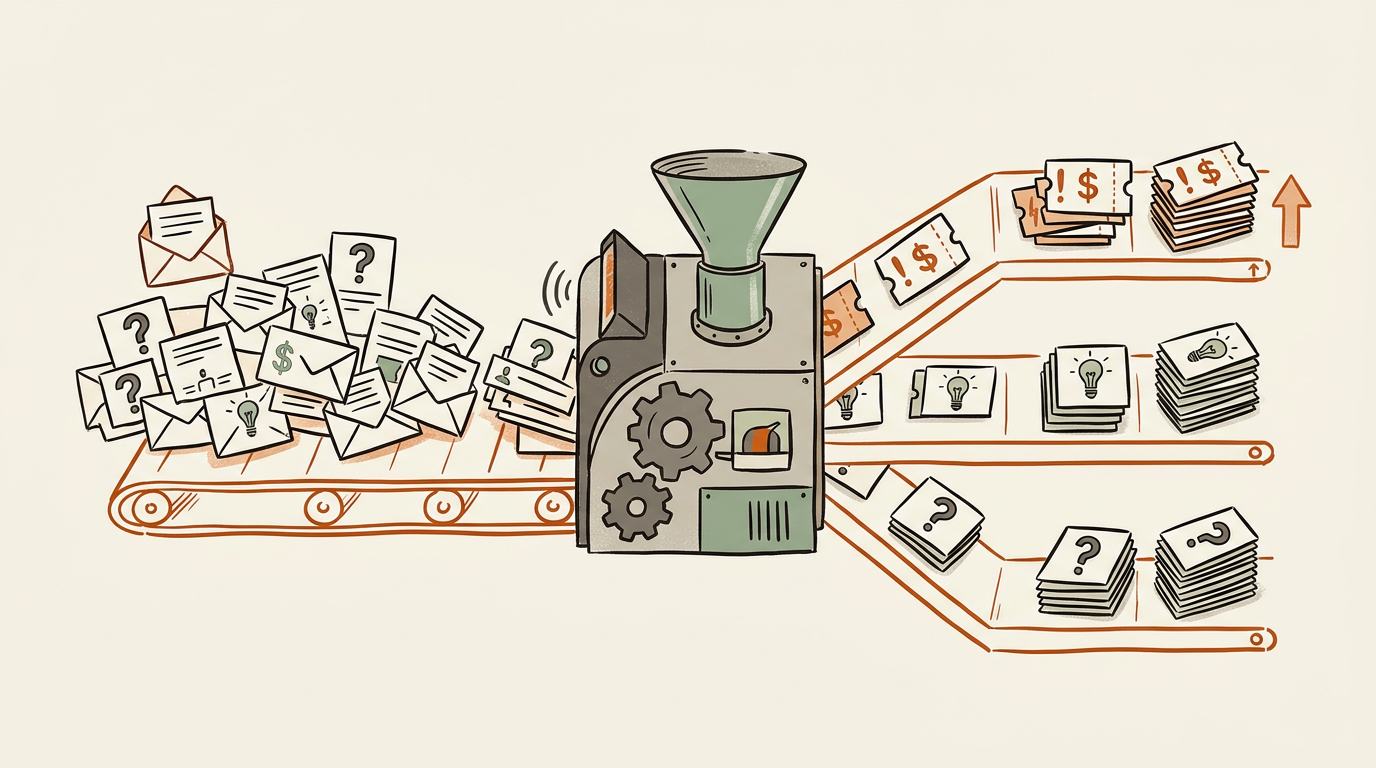
Not all emails are equal. A billing dispute is more urgent than a feature request. Build a triage layer:
- High priority: Payment issues, account access, data loss
- Medium priority: Shipping delays, onboarding questions
- Low priority: Feature requests, general feedback
Add a priority field to your classification prompt output. In n8n, use this to tag emails in your help desk (tools like Freshdesk or Linear have free tiers and n8n integrations) so you can scan your queue by urgency each morning.
Generating instant responses to FAQs
For the 80% of emails that are genuine FAQs, Claude can send replies automatically — no human review needed. The key is being explicit in your prompt about what it can answer autonomously vs. what needs escalation:
- ✅ Auto-send: Order status, return process, password reset, pricing questions
- 🔁 Draft for review: Complaints, refund requests over $X, anything with legal language
- 🚨 Escalate immediately: Threats, chargebacks, media inquiries
Drafting personalized customer replies
Even when you review before sending, Claude saves you 80% of the work. It drafts a complete reply — you spend 30 seconds reading and hit send. The personalization comes from passing the customer's name, their specific question, and any relevant account context into the prompt.
If you have a CRM like Airtable (free tier available), add a lookup step in n8n: before calling Claude, query Airtable for the customer's order history or account status, then inject that into the prompt. Now Claude's reply references their actual situation, not a generic template.
Advanced Customer Support Workflows
Multi-turn conversations with Claude
Single-email replies are the easy win. The harder problem is threads — when a customer replies to your automated response with a follow-up. Here's how to handle it:
- When Claude sends a reply, store the email thread ID and the full conversation history in Airtable
- When a new email arrives, check if its thread ID already exists in your Airtable
- If yes, retrieve the conversation history and pass it to Claude as context
- Claude now responds with full awareness of what's already been said
This is the "loops" concept in action — as described in "7 Insane Loops You Need to Try Right Now", loops are what transform a one-shot AI response into a continuous, autonomous process. Your support system doesn't just answer one email — it manages ongoing conversations without you.
Escalation rules for complex issues
Build explicit escape hatches into every workflow:
- If Claude outputs
ESCALATE, add the email to a human review Airtable table and send yourself a Slack notification via n8n - If a customer uses specific trigger words ("lawyer," "chargeback," "BBB"), route to human immediately regardless of Claude's output
- Set a maximum of 2 automated replies per thread — after that, a human takes over
Maintaining context across support threads
Context management is what separates a good support bot from an annoying one. Use Airtable as your memory layer:
- Store: thread ID, customer email, conversation history, resolution status, category
- Pass the last 3–5 exchanges to Claude on each new message (not the full thread — token costs add up)
- Tag resolved threads so Claude knows not to re-open them
Screenshot tip: Show your Airtable base with columns for ThreadID, CustomerEmail, ConversationHistory, Status, and Category.
Reducing Support Hours: Real-World Results
Measuring time savings and efficiency gains
Before you build, establish your baseline. For one week, track:
- Total emails received per day
- Time spent on support (use a simple timer)
- Breakdown by category (what are the top 5 question types?)
After deploying, track the same metrics. The categories with highest volume are where automation delivers the fastest ROI.
Case studies: 40 hours to 4 hours transformation
The "40 hours to 4" framing isn't hypothetical — it's the logical outcome of what platforms like Paperclip are already demonstrating. As shown in both the Paperclip live demo and the founder walkthrough, Paperclip's model is explicitly built around "hiring AI agents like employees" — agents with defined roles, monitored output, and escalation paths. That's not a pitch deck — it's a working product.
The math works like this for a typical e-commerce solopreneur:
- 50 emails/day × 5 days = 250 emails/week
- 80% handled automatically = 200 emails Claude resolves without you
- 20% reviewed or escalated = 50 emails you touch
- 50 emails × 3 minutes each = 2.5 hours/week instead of 40+
Quality metrics and customer satisfaction
Automation only works if quality holds. Track:
- Reply accuracy rate: Sample 20 automated replies per week — are they correct?
- Escalation rate: If Claude escalates more than 30% of emails, your prompts need work
- Customer reply rate after automated response: High re-reply rate = the answer didn't land
- CSAT scores: If you use a tool like Delighted or even a simple post-reply survey
Best Practices for Claude Customer Support
Crafting effective system prompts
Your system prompt is the most important piece of this entire system. Spend real time on it. Key elements:
- Persona: Who is this agent? What's their name, tone, communication style?
- Policies: Paste your actual refund policy, shipping times, and FAQs directly into the prompt
- Boundaries: What should Claude never say? (e.g., never promise a refund, never discuss competitors)
- Output format: Tell Claude exactly how to structure its reply
- Escalation trigger: Define the exact phrase it should output when it can't resolve something
Test your system prompt with 20 real emails before going live. Fix the failures before they reach customers.
Training Claude on your knowledge base
Claude doesn't have a memory between sessions — but you can simulate one. Two approaches:
- Prompt injection: Paste your entire FAQ document directly into the system prompt (works well for documents under ~4,000 words)
- RAG (Retrieval-Augmented Generation): For larger knowledge bases, use a tool like Relevance AI (has a free tier) to store your docs and retrieve relevant chunks before each Claude call
Anthropic has been explicit about positioning Claude for exactly this kind of knowledge work — as noted in "Anthropic is Coming for Everything", the rollout of Claude into workplace communication tools like Slack is a direct signal that the platform is built to own the entire layer of business correspondence.
Balancing automation with human touch
Full automation isn't always the goal. Some customers want to feel heard by a person. A practical balance:
- Automate the first response for all FAQ categories
- If a customer replies a second time, have a human review before the next automated reply
- For high-value customers (identified by purchase history in your CRM), route to human immediately
- Always include a clear path to a human: "Reply with 'HUMAN' to speak with our team directly"
Handling Edge Cases and Limitations
When to escalate to human agents
Be honest about what Claude gets wrong. It will occasionally:
- Misclassify an email category
- Hallucinate a policy detail that doesn't exist
- Give a confident but incorrect answer about order status
- Miss emotional tone in an angry customer email
Your escalation rules are your safety net. Don't skip them to save time. A bad automated reply to an angry customer costs more than the time you saved.
Managing sensitive or complex inquiries
Hard rule: any email involving legal language, threats, disability accommodations, or media inquiries goes straight to human review — no exceptions. Build this into your n8n workflow as a keyword filter before Claude even sees the email.
Continuous improvement and feedback loops
This system gets better over time — but only if you actively improve it:
- Weekly: Review 10 random automated replies for quality
- Monthly: Check your escalation reasons — are the same issues escalating repeatedly? Update your prompts to handle them
- Quarterly: Re-evaluate your category structure — has your product changed? Do your prompts reflect current policies?
The feedback loop is what makes this compound. Month 1 you save 20 hours. Month 3 you save 36. Month 6 you barely think about support anymore.
Implementation Roadmap
Phase 1: Pilot with high-volume inquiries
Don't try to automate everything at once. Start with your single highest-volume email category.
- Identify your top FAQ category (look at last month's inbox — what's the #1 question?)
- Build the n8n workflow for that category only
- Set all replies to draft mode — Claude writes them, you review and send manually
- Run for two weeks. Fix prompt issues. Build confidence.
- Switch to auto-send for that category once accuracy hits 90%+
Phase 2: Expanding to full support operations
Once Phase 1 is running smoothly:
- Add your second and third highest-volume categories
- Build the thread-context system using Airtable
- Add escalation routing to your human queue
- Introduce the triage/priority classification layer
- Connect to your help desk if you use one
Monitoring, optimization, and scaling
At full scale, your weekly support routine looks like this:
- 15 minutes each morning: Review escalated tickets in Airtable
- 30 minutes on Friday: Sample-check automated replies, update prompts if needed
- Everything else: Handled by Claude, 24/7, without you
That's the 4-hour week. Not theoretical — it's what you get when you deploy Claude as an agent instead of a chatbot, wire it into your inbox with n8n, and build proper escalation rules from day one.
Your next step this week: Open n8n, connect your Gmail, and build the single-category pilot workflow. Don't try to automate everything — pick your #1 FAQ category, write one strong system prompt, and run it in draft mode for 7 days. That's it. One workflow, one category, draft mode only.
Once you've seen Claude draft 50 accurate replies without you lifting a finger, you'll understand exactly why the one-person AI-powered business isn't a fantasy. It's just a well-built n8n workflow away.
Next up: we'll look at how to connect Claude to your CRM so your support agent knows your customers before they even ask a question — and how to build a proactive outreach system that catches problems before they hit your inbox.
One-sentence summary: Deploy Claude as an agent inside n8n to automate 80% of your customer support emails — no coding required, no VA needed, and no more Sunday-night inbox dread.
References
- (5) Founder of Paperclip shows how - YouTube
- (5) Paperclip: Hire AI Agents Like Employees (Live Demo) - YouTube
- (5) Building AI Agents that actually work (Full Course) - YouTube
- (5) How Claude is Creating a New Generation of Millionaires - YouTube
- (5) I Built a 24/7 Viral Shorts Machine with No-Code (free n8n template) - YouTube
- (5) 7 INSANE loops you need to try right now - YouTube
- (5) Anthropic is coming for EVERYTHING - YouTube
- (5) I figured out the best way to vibe code - YouTube
- (5) Matthew Berman - YouTube